
Changelog

Follow new updates and improvements to Balance.

Balance 4.3 — keep the receipt, and give an expense a split of its own

Two things in this update, and they are the two most asked-for posts on this board.

Keep the receipt

A transaction can now carry a photo: the receipt, an invoice, the warranty you will be looking for in two years. Take it with the camera or pick one you already have — on a Mac, from your files. You both see it, a camera on the row marks the transactions that have one, and a tap opens it full screen.

A split for each expense

The month’s split no longer has to fit every expense. Under “Who paid?”, give one its own: 100/0 for something that’s yours alone, 70/30 for anything in between. On a recurring expense it applies every time it comes round. The row shows the split beside the description, and the balance counts each expense at its own.

Also in 4.3

The payment method now folds into one line in the editor and opens when you need it, and saving or deleting a transaction holds up better when you tap twice.


Photos and the per-expense split were both asked for here. Keep telling us what’s missing — we read everything.
New

Balance 4.2 — find any expense, and never forget one

Four things in this update, and every one of them started as a post on this board.

Search your whole history

Transactions shows one month at a time, so it could never answer “when did we last pay the dentist?”. Search can. Type a word from the description, narrow by category, payment method or a range of dates, and every match comes back, newest first, each with its own date.

It is in Settings, under Data — and on a tablet, a Mac or the web, one click away in the side rail. Free for everyone.

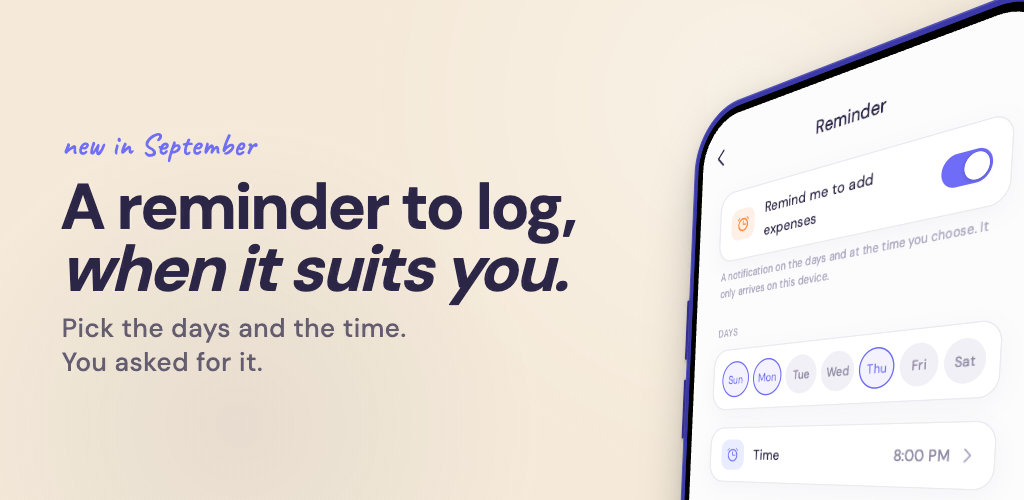
A reminder to add your expenses

On iPhone, iPad and Android, Balance now reminds you to log what you spent. It starts on Sunday evening; the days and the time are yours to choose in Settings, under Reminder, and so is switching it off. It belongs to the device, not to the account, so the two of you can each set your own.

While we were there: your partner’s notifications now show even when Balance is open.

Recurring expenses that end

A recurring expense can now stop on a date, or after a number of times. The second one is how installments go in: the amount of one payment, and how many there are — Balance adds each one when it falls due and stops by itself.

Filter by category

Transactions can be narrowed to one or more categories, and to more than one payment method at a time.

Also in 4.2

The keypad no longer comes back after you put it away while adding an expense, and a handful of messages now say the right thing.


Search, the reminder, an end for recurring expenses and the category filter were all asked for here. Keep telling us what’s missing — we read everything.

New

Balance 4.1 — the Overview, your way

Not everyone shares money the same way, and until now the Overview assumed you did. Both of the things in this update are ones you asked us for.

Choose what your Overview leads with

Two compositions, one new button at the top right. Who spent what is the one you know: the split gauge, your two colours, who owes who. The month's spending is the new one — your total against your monthly limit, and how much of it is left.

Couples who put everything into one shared account never needed the split, and told us so. Now they don't have to look at it: turn the shared account on and Balance switches for you. The button is there to overrule it whenever you like, either way.

What's left, per day or per week

This one you asked to have back after 4.0. What remains of your monthly limit can be read as a pace: how much a day, or how much a week, until the month is over. Daily, weekly, or off if you'd rather not know — it lives in the same menu as the composition.

Also in 4.1

The charts could freeze on a month that held only a small expense or two; they don't any more. Subscriptions and the paywall lost a handful of crashes, saving an expense no longer reports an error it didn't have, and Balance starts noticeably faster.


Both features above started as posts on this board. Keep telling us what's missing — we read everything.

Earlier updates