Balance 4.2 — find any expense, and never forget one
Four things in this update, and every one of them started as a post on this board.
Search your whole history
Transactions shows one month at a time, so it could never answer “when did we last pay the dentist?”. Search can. Type a word from the description, narrow by category, payment method or a range of dates, and every match comes back, newest first, each with its own date.
It is in Settings, under Data — and on a tablet, a Mac or the web, one click away in the side rail. Free for everyone.
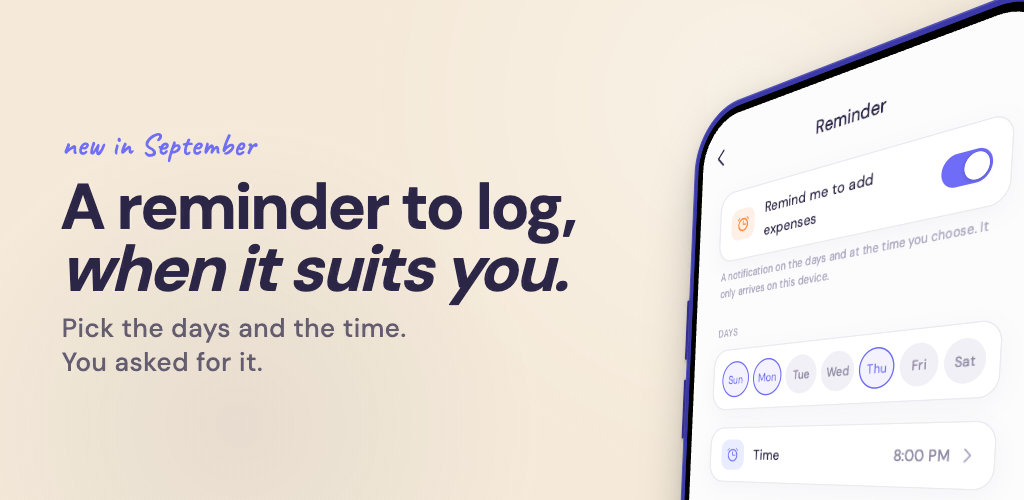
A reminder to add your expenses
On iPhone, iPad and Android, Balance now reminds you to log what you spent. It starts on Sunday evening; the days and the time are yours to choose in Settings, under Reminder, and so is switching it off. It belongs to the device, not to the account, so the two of you can each set your own.
While we were there: your partner’s notifications now show even when Balance is open.
Recurring expenses that end
A recurring expense can now stop on a date, or after a number of times. The second one is how installments go in: the amount of one payment, and how many there are — Balance adds each one when it falls due and stops by itself.
Filter by category
Transactions can be narrowed to one or more categories, and to more than one payment method at a time.
Also in 4.2
The keypad no longer comes back after you put it away while adding an expense, and a handful of messages now say the right thing.
Search, the reminder, an end for recurring expenses and the category filter were all asked for here. Keep telling us what’s missing — we read everything.